
Home › Forums › Windstone Editions › Raffles › February Raffle
- This topic has 5 replies, 4 voices, and was last updated 1 month, 1 week ago by Nikki Hardy.
-
AuthorPosts
-
February 15, 2026 at 10:20 am #1704822
Hi all!
I was the winner of the January raffle– I’m a few days late, but better late then never, right?
I’m pretty new to Windstone so I don’t have a lot to offer except this adorable little bear that wants nothing more than to hold your candle. He does have a little rub on his nose, but that just means he’s experienced in his travels through the dark 😃
My husband also said absolutely no more mugs, so I’m re-raffling the one from December!
I apologies that I don’t have anything extravagant to offer.
The Rules:
The host for the month decides what they wish to gift – it must be Windstone-related. The price range is entirely up to the host, so keep this in mind when entering the raffles.
The winner of that month then pays it forward by hosting the PIF Raffle the following month. The raffle is posted by the 7th of the month, and entries are accepted until the end of the month. The winner’s name is randomly drawn and announced here on the 30th/31st. The winner is also notified by private message, and their prize is shipped out by the host as soon as possible.
There is no limit on how many months you can enter, even if you have previously won. This is not related to Melody’s raffle, so it does not affect your ability to enter that one.
I will pull the winner’s name on February 28th at 6 CST.February 17, 2026 at 4:43 am #1704881Please enter me and if you have a pic, please post it so members can see.Thank you😁
Every act matters.No matter how small💞
(Wanted......Toaster Dragon)
Male Hearth....one day🤞Dream on.February 25, 2026 at 10:56 am #1705117Got you entered!
The picture is showing up for me 🙁
I’ll try making another comment and see if it’ll show up for you guys !
SO SORRY!
February 26, 2026 at 4:53 pm #1705137Hi Nikki! Please enter me too!
DragonFan33
February 26, 2026 at 5:42 pm #1705138Got you entered!
The picture is showing up for me 🙁
I’ll try making another comment and see if it’ll show up for you guys !
SO SORRY!
Just FYI … after you have linked your photo – and before you click “Submit” – look to the right of the little image and click on “insert into content”. Then the photo should show in the body of your post.
Occasionally the Forum is being difficult and the photo doesn’t show but it usually works!February 28, 2026 at 7:11 am #1705163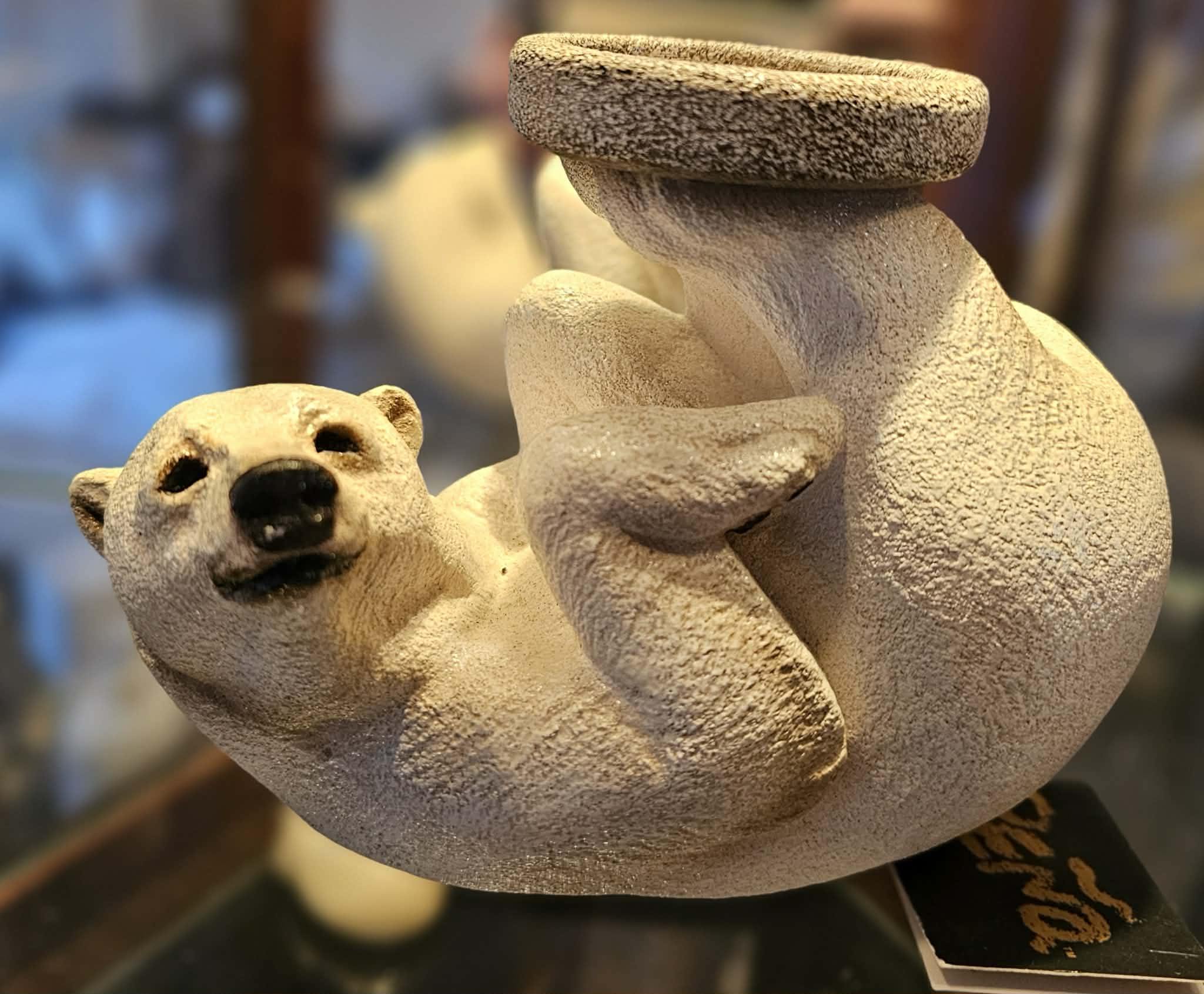
FINALLY figured it out LOL Thank you all
Remember this is the last day to enter the drawing!
-
AuthorPosts




- You must be logged in to reply to this topic.
